How to make your website readable for AI search
A practical checklist for being found and cited by Google, ChatGPT, Claude, and Perplexity: crawler access, indexability, answer-first content, and structured data.
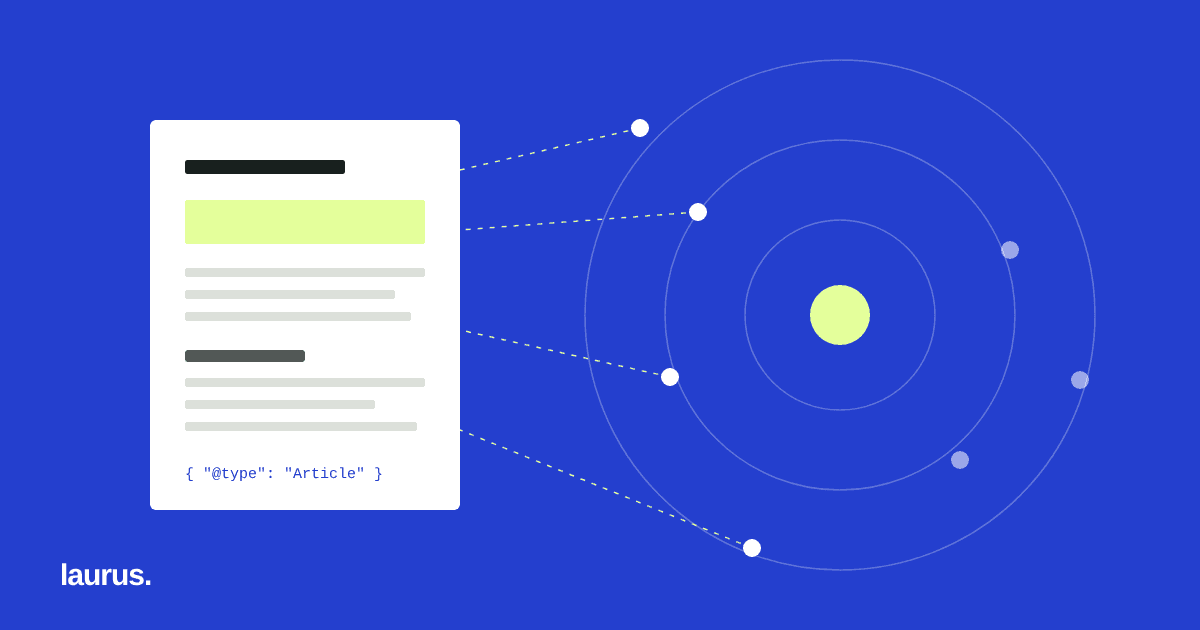
What AI search actually reads
AI assistants that answer with sources, such as ChatGPT search, Claude, Perplexity, and Google’s AI features, still depend on the open web. They fetch pages, decide what each page is about, and quote or link the ones that answer the question most clearly.
That makes AI visibility mostly a technical and editorial problem rather than a new trick. If a crawler cannot reach a page, cannot tell which URL is the real one, or cannot find a direct answer in the text, the page is unlikely to be cited, however good the business behind it is.
The checklist below is the one we use on our own site. None of it guarantees rankings or citations; it removes the reasons a page would be skipped.
1. Let the right crawlers in
Start with robots.txt. Many sites block AI crawlers by accident, through a blanket rule copied from a template, a staging setting that reached production, or a security plugin.
Different crawlers do different jobs, so decide deliberately:
- Search and answer crawlers such as OAI-SearchBot, Claude-SearchBot, and PerplexityBot fetch pages so they can be shown and cited in answers.
- User-triggered fetchers such as ChatGPT-User and Claude-User retrieve a page when a person asks about it.
- Training crawlers such as GPTBot and ClaudeBot collect content for model training. Google-Extended controls whether Google may use content for Gemini; it does not affect Google Search.
Blocking training while allowing search is a legitimate choice. Blocking everything and expecting to be cited is not.
2. Make every page indexable and unambiguous
A crawler that can reach a page may still be told to ignore it. Check for noindex in the page’s meta robots tag and in the X-Robots-Tag response header, both of which are easy to leave behind after a launch.
Each page should declare one canonical URL. On multilingual sites, hreflang links tell search engines which language version to show, and an x-default entry covers everyone else. Keep the XML sitemap limited to canonical, indexable URLs that return HTTP 200.
3. Write answers, not slogans
AI answers are assembled from passages. A passage is useful when it answers a specific question on its own, without the reader needing the rest of the page.
- Use headings that match the questions people ask.
- Put the direct answer in the first one or two sentences under each heading, then add detail.
- Be specific: name the deliverables, the steps, the constraints, and what is not included.
- Keep claims verifiable. Vague superlatives are rarely quoted; concrete statements are.
This is also simply good writing for people, which is the point: the same clarity serves both audiences.
4. Add structured data that matches the page
Structured data (JSON-LD using schema.org types) states facts about a page in a form machines can read without guessing: that this is an Organization, a Service, an Article with a publication date, or a list of questions and answers.
Only mark up what is visible on the page, and keep it accurate. Structured data that contradicts the content is worse than none.
5. Consider an llms.txt file
llms.txt is a short Markdown file at the root of a site that summarizes what the organization does and links to its most important pages. It is an emerging convention, not a standard, and no assistant is obliged to read it.
It is cheap to maintain and gives a clean, human-readable summary to any tool that does read it. Treat it as a useful index, not as a ranking lever.
6. Check it every week
Technical visibility breaks quietly. A deployment flips a setting, a template drops a canonical tag, a new page ships without a description. Nobody notices until traffic falls.
We run an automated weekly audit of our own site that checks crawler access, the sitemap, llms.txt, status codes, response times, titles, descriptions, noindex, canonical and hreflang tags, headings, and structured data, then emails a scored report. The aim is to catch regressions in days rather than months.
7. Keep pages fast and readable without JavaScript
Many crawlers, including several AI crawlers, read the HTML a server sends and do not reliably run JavaScript. If your main text, headings, or links appear only after scripts load, some systems will see an empty page.
Serve the important content in the initial HTML, keep pages fast, and avoid hiding answers behind tabs, pop-ups, or infinite scroll. A page that loads quickly and reads well with scripts turned off is easier for every crawler to process.
8. Be consistent about who you are
AI systems try to work out which organization a page belongs to and whether it is a credible source on the topic. Make that easy:
- Use the same company name, description, and contact details across the site.
- Keep a clear About page that says what you do, for whom, and what you do not do.
- Add Organization structured data with your name, website, and logo.
- Make sure external profiles you control describe you the same way.
Inconsistent descriptions make it harder for any system to connect your pages to your organization.
How to measure AI visibility
There is no single dashboard for AI citations yet, so combine a few signals:
- Google Search Console and Bing Webmaster Tools show indexing problems and search impressions for each page.
- Referral traffic from AI assistants, such as visits from chatgpt.com or perplexity.ai, appears in most analytics tools.
- A fixed set of questions asked to the main assistants every month shows whether and how you are mentioned. Answers vary between runs, so look at trends rather than single results.
Record what you change and when, so you can connect improvements to the work that caused them.
Common mistakes to check first
- A noindex tag or a Disallow rule left over from a staging site.
- A CDN or security setting that blocks AI crawlers even though robots.txt allows them. Some services now offer this, and some enable it by default.
- Language versions of the same page without hreflang, so they compete with each other.
- Important answers available only inside images, PDFs, or scripts.
- Meta descriptions written as slogans rather than as a summary of the page.
Each of these is quick to fix once found. The hard part is noticing them, which is why a regular check matters more than a one-time audit.
A 30-day plan
If you are starting from scratch, this order gets the most important fixes in first:
- Week 1: check robots.txt, CDN and security settings, noindex tags, canonical URLs, and the sitemap. Fix anything that blocks or confuses crawlers.
- Week 2: list the ten questions your customers ask most and check whether your site answers each one clearly on a specific page.
- Week 3: rewrite or add the pages that answer those questions, with direct answers in the opening lines, and add accurate structured data.
- Week 4: set up Search Console and Bing Webmaster Tools, record a baseline of AI answers for your question set, and schedule a weekly technical check.
After the first month, the work becomes routine: keep answering new questions well and keep the technical basics from breaking.
Frequently asked questions
Is GEO different from SEO? Mostly it is the same foundation with more emphasis on clear, quotable answers and on crawler access for AI systems. A site that is easy for search engines to understand is usually easy for AI assistants too.
Should we block AI training crawlers? That is a business decision. Blocking training crawlers does not stop search and answer crawlers, as long as you allow those separately.
Does llms.txt improve rankings? There is no evidence that it does. It is a low-cost summary that some tools may read.
How long until we see results? Technical fixes take effect as pages are recrawled, which can take days to weeks. Being cited more often depends on content quality and competition, and is never guaranteed.
What this does not do
A technically clean site is the foundation, not the result. Whether a page is cited still depends on whether it is the most useful answer to the question being asked. That is an editorial job: understanding what your audience asks and answering it better than anyone else.
If you want a review of your own site against this checklist, see our SEO and AI search visibility service.
Related reading
One recording, many useful pieces: a repurposing workflow